
 Documentation
Editor guide
Code Graph Content
Declare and prepare the animation content that a code graph may use.
Editor view
Open the tool
Select a Code Graph Content asset.
Inspector
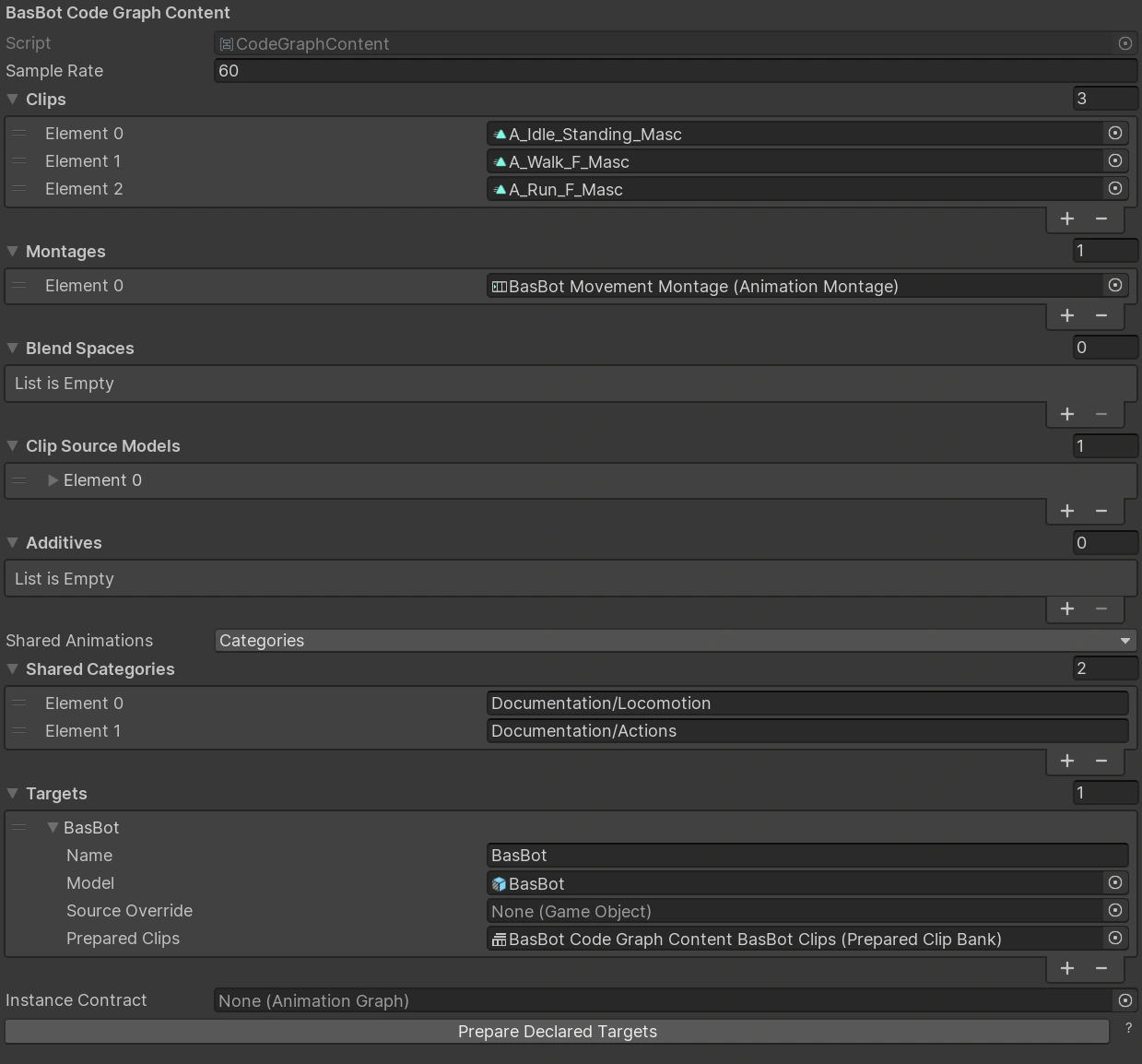
The asset lists content and named targets before gameplay builds a code graph. Editor preparation reads these declarations; it does not run a gameplay factory.
Each target selects a model and prepared clip data.
| Control or section | Function |
|---|---|
| Clips / Montages / Blend Spaces | Declare animation resources used by the code graph. |
| Shared Animations | Select All, Categories or None for compatible shared animations. |
| Source models / Additive recipes | Supply preparation source information where required. |
| Targets | Name each target and select its model and prepared data. |
| Instance contract | Declare a graph contract where the code content requires one. |
| Prepare Declared Targets | Prepare the declared resources and report problems. |
Basic procedure
- Declare the required content.
- Add the rig as a named target.
- Prepare Declared Targets.
- Build and bind the code graph against that prepared target.
Saved data
- Declarations and prepared target references belong to the content asset.
- A runtime code graph definition is separate from this asset.
Requirements and limits
- A code graph can use only compatible prepared resources.
- A Humanoid target needs its current prepared rig contract.
Reference details
These instructions describe BAS 1.0 in Unity 6000.3.7f1.
Related Editor types: CodeGraphContentEditor.