
 Documentation
Node reference / Blends
Weighted Blend
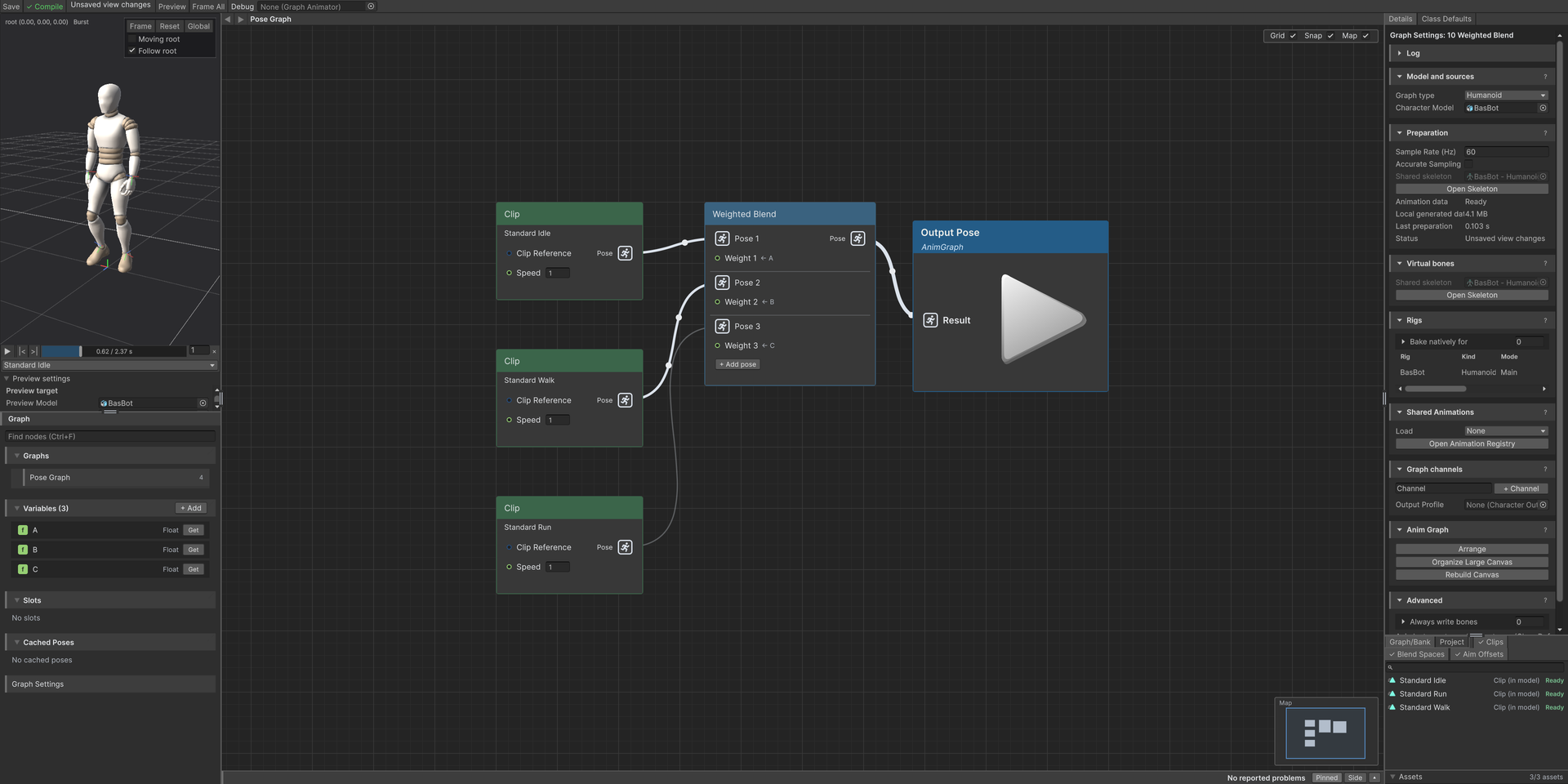
Blend any number of poses in proportion to their relative weights.
How it works
Each entry supplies a pose and a weight. The node uses nonnegative weights and normalizes their total for the bone pose.
Weights of 2 and 1 give contributions of two thirds and one third. The values do not need to add up to 1.
If the total is 0, the node produces no pose or events. At the graph output, a missing pose uses the reference pose.
Inputs and output
| Port | Type | Function |
|---|---|---|
| Entries | Pose and Float list | One pose and relative weight per entry. |
| Pose | Output | The normalized weighted pose. |
Settings
| Setting | Default | Function |
|---|---|---|
| Entries | Empty | Add at least one pose and weight pair. |
| Weight per entry | 1 | Set each relative contribution or connect an input. |
| Event Mode | Highest Weighted | Select input events. |
| Curve Mode | Interpolated | Select curve blending. Additive and Maximum still read active input curves when the pose total is 0. |
Common node controls
Name changes the canvas label. Type identifies the node and is read-only. Advanced shows structural pose connections and retained data.
Events and curves
| Setting | Function |
|---|---|
| Event Mode: Highest Weighted | Use events from the highest-weighted contributing input. |
| Event Mode: Always | Allow events from all contributing inputs. |
| Curve Mode: Interpolated | Blend curve values with the input blend weights. |
| Curve Mode: Additive | Add the contributing curve values according to the operation. |
| Curve Mode: Maximum | Use the largest contributing curve value. |
Setup example
- Add one entry for each pose.
- Use weights 3 and 1 for a 75 percent and 25 percent pose blend.
- Connect the output to the next pose node.
Try it in Gallery
Open 10 Weighted Blend in the Gallery Graphs folder. Compare the three pose inputs and change weights A, B or C.
Requirements and limits
- Use compatible pose representations for all entries.
- A zero total is different from selecting the first pose.
Reference details
BAS 1.0 reference. Node type: WeightedBlendNode. Main source: WeightedBlendNode.cs. Defaults also use the node constructor and the shared Editor field definitions.