
 Documentation
Node reference / Sources
Reference Pose
Output the rig bind pose as an ordinary pose.
Concept
A reference pose is the pose used as a baseline for a comparison, conversion or additive difference.
In BAS
For additive clip preparation, the baseline can be a frame of the same clip, a frame of another clip, or the rig reference pose.
Retargeting also uses reference information. Generic Borrow requires the source and target rigs to rest in the same posture. A reference pose is not necessarily the animation shown at the current playhead.
Example
Choose a neutral aim frame as the additive reference, then prepare the other aim directions relative to it.
Node
How it works
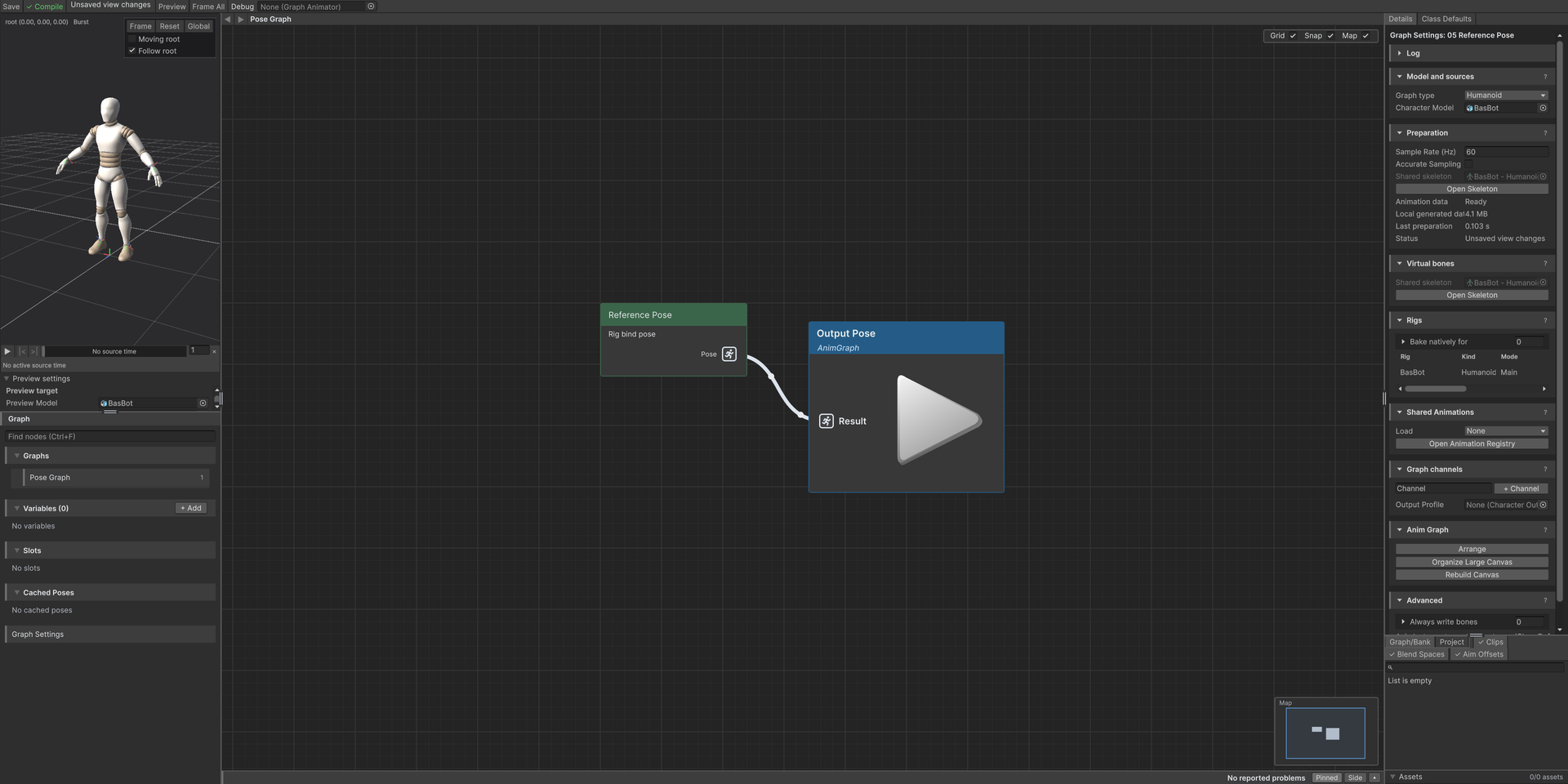
The node uses the reference transforms of the prepared rig. It has no clock and reads no animation clip.
Rig float tracks have their model default values. Other curve channels are absent. The node produces no events or root motion.
Inputs and output
| Port | Type | Function |
|---|---|---|
| Pose | Output | The ordinary reference pose of the target rig. |
Settings
This node has no animation settings. Name changes its label only.
Common node controls
Name changes the canvas label. Type identifies the node and is read-only. Advanced shows structural pose connections and retained data.
Setup example
- Add Reference Pose to a graph.
- Connect it to Output Pose to inspect the rig bind pose, or use it as the reference for an additive calculation.
Try it in Gallery
Open 05 Reference Pose in the Gallery Graphs folder. Follow Reference Pose to Output Pose to see the rig bind pose.
Requirements and limits
- This node does not add bones to Required Bones by itself.
- An ordinary reference pose is different from Additive Identity, which is a delta.
Editor guides
Reference details
BAS 1.0 reference. Node type: ReferencePoseNode. Main source: AnimNodes.cs. Defaults also use the node constructor and the shared Editor field definitions.