
 Documentation
Node reference / Curves
Modify Curve
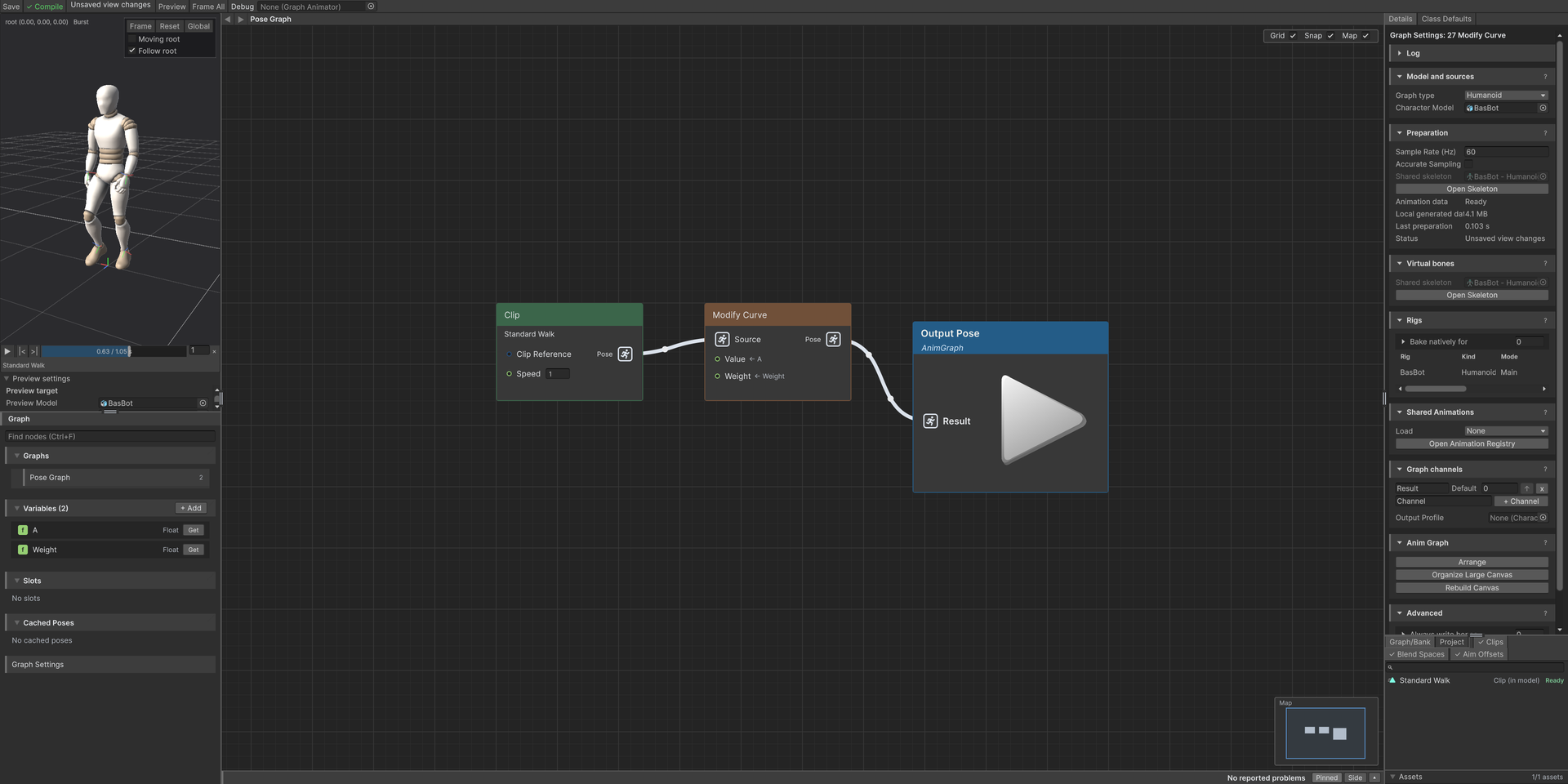
Change one float curve channel and keep the rest of the pose data.
How it works
Replace blends the current value toward Value: result = current + Weight * (Value - current).
Add uses result = current + Weight * Value. Multiply uses result = current * (1 + Weight * (Value - 1)).
Bones, root motion, events and other curve channels remain unchanged.
Inputs and output
| Port | Type | Function |
|---|---|---|
| Source | Pose | The input pose and its curve channels. |
| Value | Float | The operation value. The default is 0. |
| Weight | Float | Operation influence. The default is 1. |
| Pose | Output | The source with one curve channel changed. |
Settings
Common node controls
Name changes the canvas label. Type identifies the node and is read-only. Advanced shows structural pose connections and retained data.
Scalar input rows can use a stored constant or a compatible connected source. Use Show as Pin where available to show an optional input on the card. The selected source supplies the value.
Setup example
- Connect Source and select the curve channel.
- Choose Replace and set Value to the required output.
- Use Weight to blend that value with the input channel.
Try it in Gallery
Open 27 Modify Curve in the Gallery Graphs folder. Find the Result curve and the A and Weight inputs that control it.
Requirements and limits
- Replace and Add use the channel default when the input channel is missing, then make it present.
- Multiply keeps a missing channel missing. Weight 0 keeps both the input value and its presence unchanged.
- A non-finite Value or Weight leaves the input unchanged.
Editor guides
Reference details
BAS 1.0 reference. Node type: ModifyCurveNode. Main source: ModifyCurveNode.cs. Defaults also use the node constructor and the shared Editor field definitions.