
 Documentation
Node reference / Sources
Clip Pose
Read one prepared clip at a time supplied by the graph. The node has no advancing playback clock.
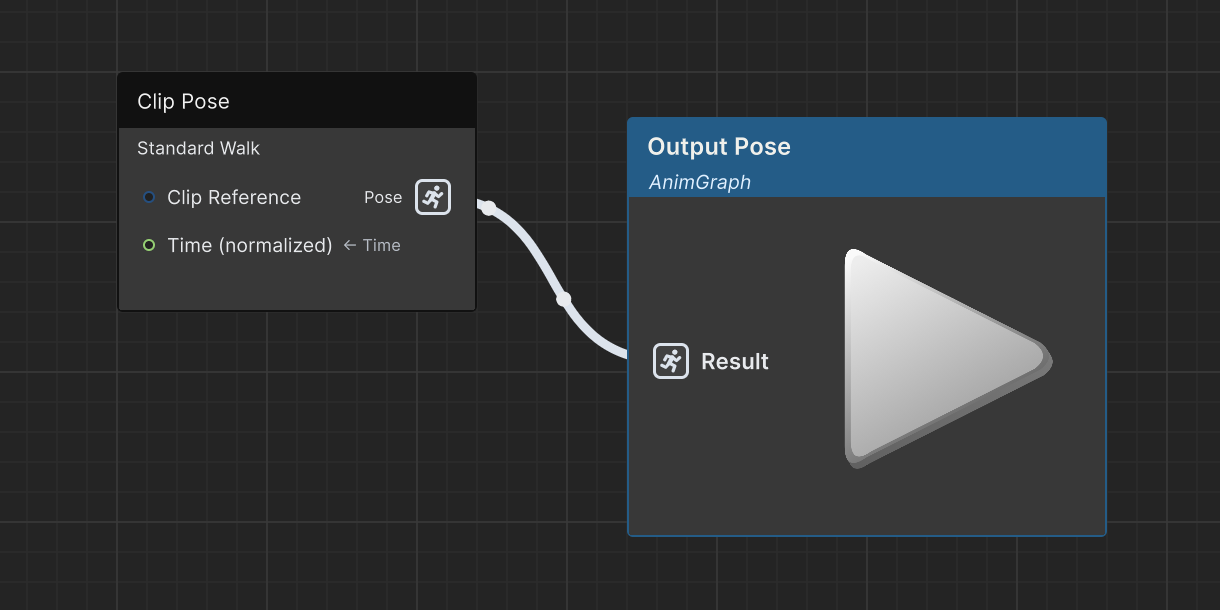
How it works
Time selects the sample position. Seconds uses clip seconds. Normalized uses clip cycles, so 0.5 is the middle of one cycle.
Traverse reads root motion and events across the interval from the previous time to the new time. Seek goes directly to the requested pose without crossed events or accumulated root motion.
Time is unwrapped. With Loop, 1.5 normalized means one and a half cycles. A change from 0.9 to 0.1 goes backward. Supply 1.1 to continue forward across the loop boundary.
Inputs and output
| Port | Type | Function |
|---|---|---|
| Clip | Optional AnimationClip | Read a compatible asset from a connected source. |
| Time | Float | Requested time. The default is 0. |
| Pose | Output | The pose or additive delta at the requested time. |
Settings
| Setting | Default | Function |
|---|---|---|
| Clip | None | The prepared animation clip to sample. |
| Show as Pin | Off | Show the Clip input on the node. A configured source keeps the pin visible until you disconnect it. |
| Mirror | Off | Use the prepared mirrored Humanoid form. |
| Foot IK | Automatic | Select the Humanoid preparation form. Generic and Object Hierarchy require Automatic. |
| Time | 0 | Set the sample time or connect an input. |
| Unit | Seconds | Choose Seconds or Normalized cycles. |
| Mode | Traverse | Choose Traverse for interval events and root motion, or Seek for direct pose sampling. |
| Loop | Use Clip Setting | Use the clip setting, force repeated time, or hold the ends with Play Once. |
| Additive | From clip settings | The clip settings determine the output representation. |
Common node controls
Name changes the canvas label. Type identifies the node and is read-only. Advanced shows structural pose connections and retained data.
Scalar input rows can use a stored constant or a compatible connected source. Use Show as Pin where available to show an optional input on the card. The selected source supplies the value.
Expose for Override makes the Clip or Asset resource available to an Animation Graph Override asset. It does not change the assigned resource by itself. The clip Additive report links to the clip settings where applicable.
Setup example
- Assign a clip that contains the pose range you need.
- Select Normalized and Seek for a pose controlled by a 0 to 1 input.
- Set Time to 0.5 to read the middle pose, then connect the output.
Try it in Gallery
Open 04 Clip Pose in the Gallery Graphs folder. Change Time to read different poses from the same clip.
Requirements and limits
- A held time produces no traversal interval. A non-finite Time holds the previous time.
- Synchronized blends and Animator state motions require playback Clip nodes instead.
Editor guides
Reference details
BAS 1.0 reference. Node type: ClipPoseNode. Main source: AnimNodes.cs. Defaults also use the node constructor and the shared Editor field definitions.