
 Documentation
Node reference / Slots
Slot
Apply clips and montages started by gameplay commands for a named slot.
Concept
A slot is a named graph playback point for clips or montages.
In BAS
A Slot node starts from its source pose. Playback assigned to that slot can contribute over the source according to its playback and blend state.
The graph and montage must use matching slot names. A category in the Project Slot List organizes menus; it is not a runtime blend layer.
Example
Use the same UpperBody slot name in a graph Slot node and in a montage track.
Node
How it works
The slot receives prepared playbacks addressed to Slot Name. Source Pose supplies the optional pose below those playbacks.
Override playback can replace the source. Additive playback applies a delta over it. The clip or montage playback settings control the playback and its blends.
Always Evaluate Source keeps the source branch running during a full override. This is useful when its clock or state must continue.
Inputs and output
| Port | Type | Function |
|---|---|---|
| Source Pose | Optional pose | The pose below slot playback. |
| Pose | Output | The result of source and active slot playbacks. |
Settings
| Setting | Default | Function |
|---|---|---|
| Slot Name | DefaultSlot | The project slot name used by the playback command. |
| Always Evaluate Source | Off | Keep source evaluation active while an override has full weight. |
| Event Mode | Always | Select which contributing input events reach the output. |
Common node controls
Name changes the canvas label. Type identifies the node and is read-only. Advanced shows structural pose connections and retained data.
Events
| Setting | Function |
|---|---|
| Highest Weighted | Use events from the highest-weighted contributing input. |
| Always | Allow events from all contributing inputs. |
Setup example
- Choose the required project slot name.
- Connect locomotion to Source Pose when playback must return to locomotion.
- Start a prepared clip or montage with a gameplay command that uses the same slot name.
Try it in Gallery
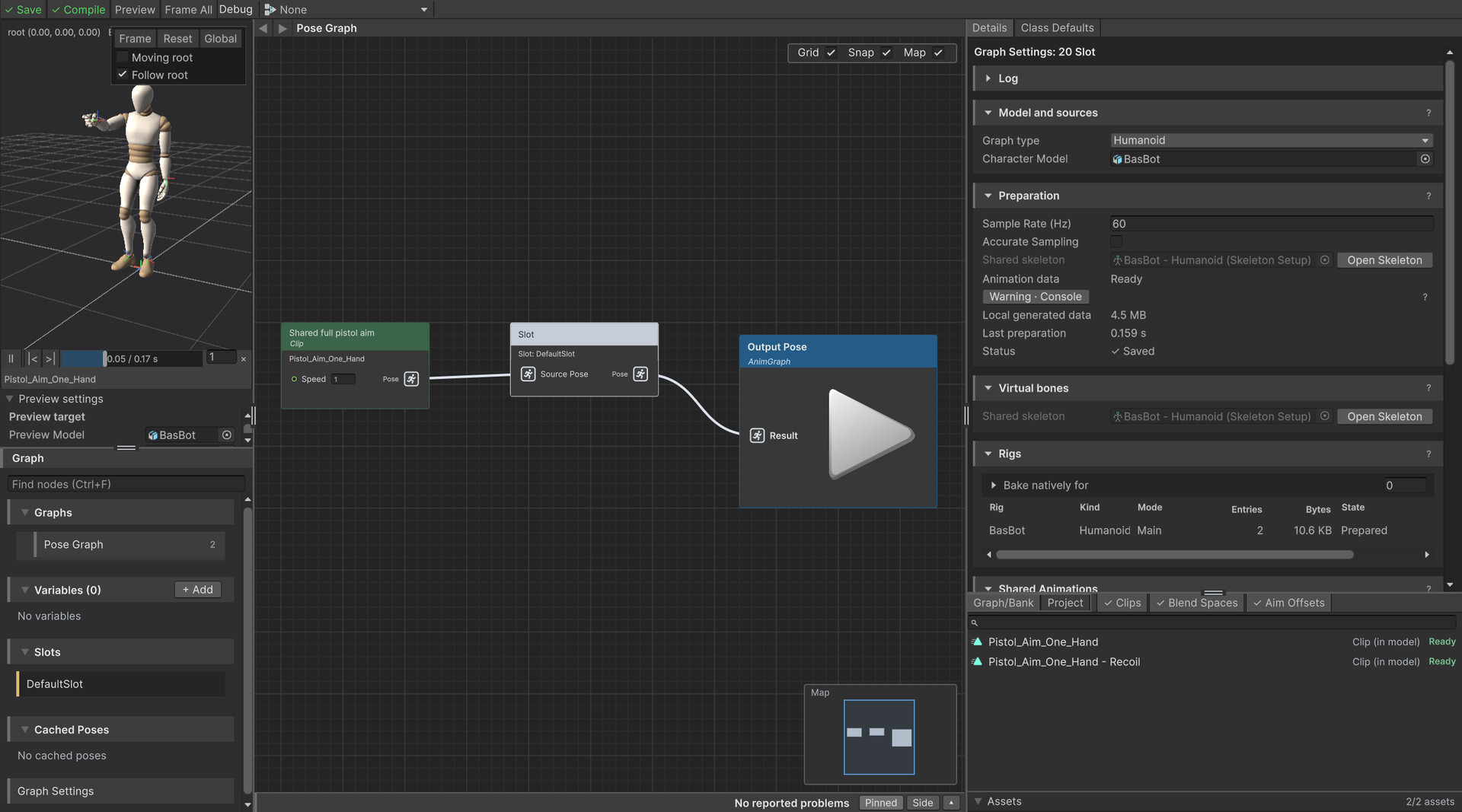
Open 20 Slot in the Gallery Graphs folder. Follow the pistol pose through DefaultSlot to Output Pose.
Requirements and limits
- Slot names must be nonempty and unique in the graph.
- The played content must be prepared for the target rig.
- A Local or Mesh additive clip must play in its own additive space. A conflicting explicit playback mode is an error.
Editor guides
Reference details
BAS 1.0 reference. Node type: SlotNode. Main source: AnimNodes.cs. Defaults also use the node constructor and the shared Editor field definitions.