
 Documentation
Node reference / Additive
Make Dynamic Additive
Calculate a live additive delta between two ordinary poses in Local or Mesh space.
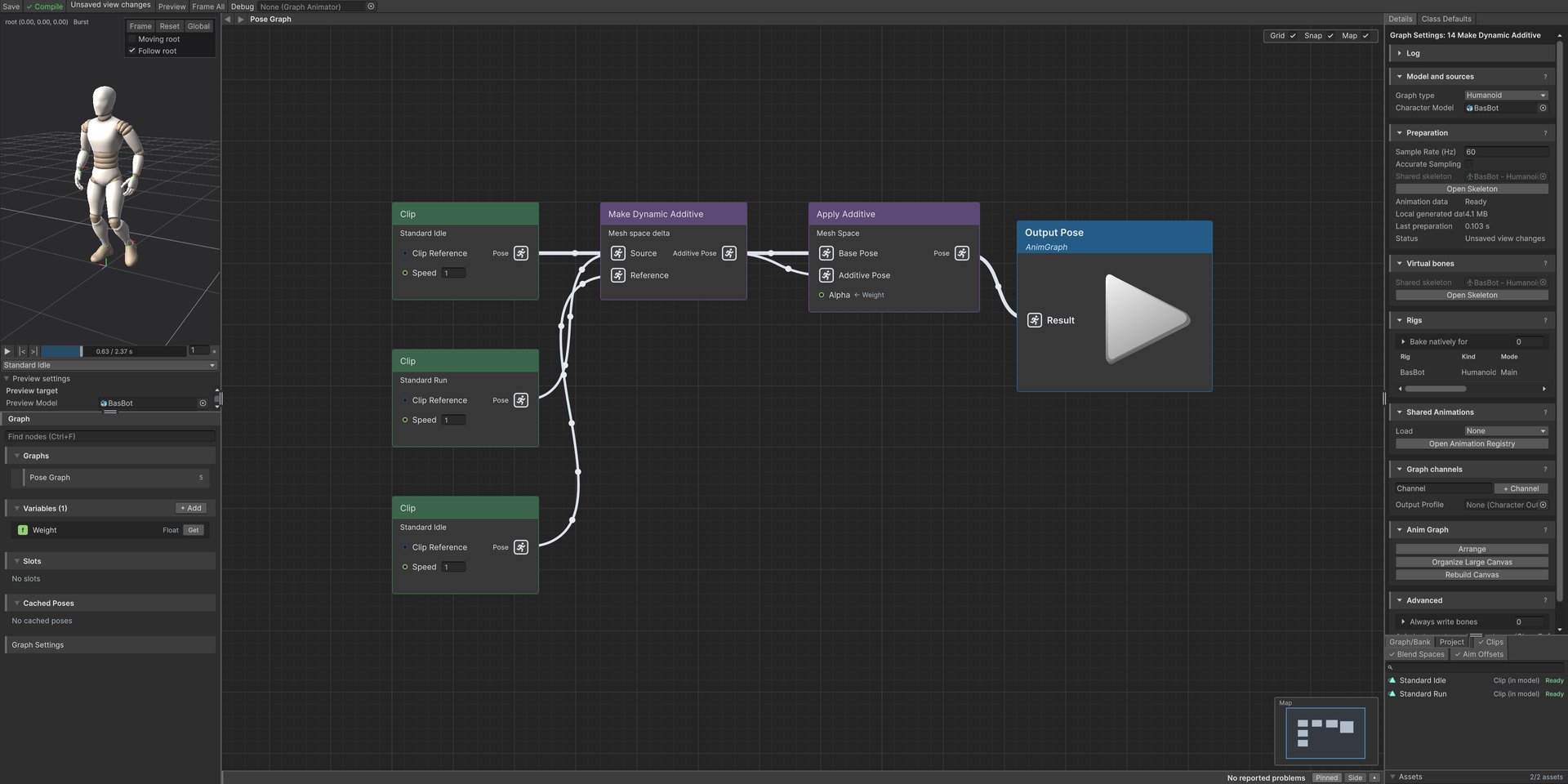
How it works
Source is the desired pose and Reference is the pose to subtract. Both can change each frame.
Local uses bone transforms relative to their parents. Mesh uses bone rotations in the model component frame.
Apply the output with Apply Additive in the same space. A space mismatch is an invalid graph connection.
Inputs and output
| Port | Type | Function |
|---|---|---|
| Source | Ordinary pose | The pose to reproduce when the delta is fully applied to Reference. |
| Reference | Ordinary pose | The pose used to calculate the delta. |
| Additive Pose | Output | The delta in the selected space. |
Settings
| Setting | Default | Function |
|---|---|---|
| Space | Local space | Choose Local space or Mesh space. Match this choice on Apply Additive. |
Common node controls
Name changes the canvas label. Type identifies the node and is read-only. Advanced shows structural pose connections and retained data.
Setup example
- Connect the desired pose and reference pose.
- Choose the delta space.
- Apply the delta to a base pose with a matching Apply Additive node.
Try it in Gallery
Open 14 Make Dynamic Additive in the Gallery Graphs folder. Compare the two pose inputs and follow the calculated delta into Apply Additive.
Requirements and limits
- Both inputs must be ordinary poses.
- Changing Space changes the output representation. Check all downstream additive connections.
Reference details
BAS 1.0 reference. Node type: MakeDynamicAdditiveNode. Main source: AnimNodes.cs. Defaults also use the node constructor and the shared Editor field definitions.