
 Documentation
Node reference / Skeletal controls
Copy Bone
Copy local position, local rotation, or both from one bone to another.
How it works
The source bone is read and the destination bone is changed. Weight blends the copied result with the incoming destination transform.
Values are local to each bone parent. Equal local values give equal world transforms only when the parent frames are equal.
The control does not copy scale and has no target value inputs.
Inputs and output
| Port | Type | Function |
|---|---|---|
| Source | Ordinary pose | The input pose to change. |
| Weight | Float | Blend the control result with the source. The default is 1. |
| Pose | Output | The pose with selected destination channels copied. |
Settings
| Setting | Default | Function |
|---|---|---|
| Source Bone | Unassigned | The bone to read. |
| Destination Bone | Unassigned | The different bone to change. |
| Copy Position | Off | Copy the source local position. |
| Copy Rotation | On | Copy the source local rotation. |
| Weight | 1 | Control influence, clamped to 0 to 1. |
| LOD Threshold | Disabled | Above the selected level, pass the source through and keep control state. |
Common node controls
Name changes the canvas label. Type identifies the node and is read-only. Advanced shows structural pose connections and retained data.
Scalar input rows can use a stored constant or a compatible connected source. Use Show as Pin where available to show an optional input on the card. The selected source supplies the value.
Preview model selects the model used to resolve bone choices in the picker. Bone references can identify Humanoid roles or transform paths. The picker does not replace the graph character model.
Level of detail
| Setting | Function |
|---|---|
| Disabled | Apply no node threshold. |
| Enabled | Run the node when the character LOD level is at or below the selected level. Level 0 is a valid enabled threshold. |
| Above the threshold | Use the pass-through behavior stated for this node. LOD changes do not replace the node input requirements. |
Setup example
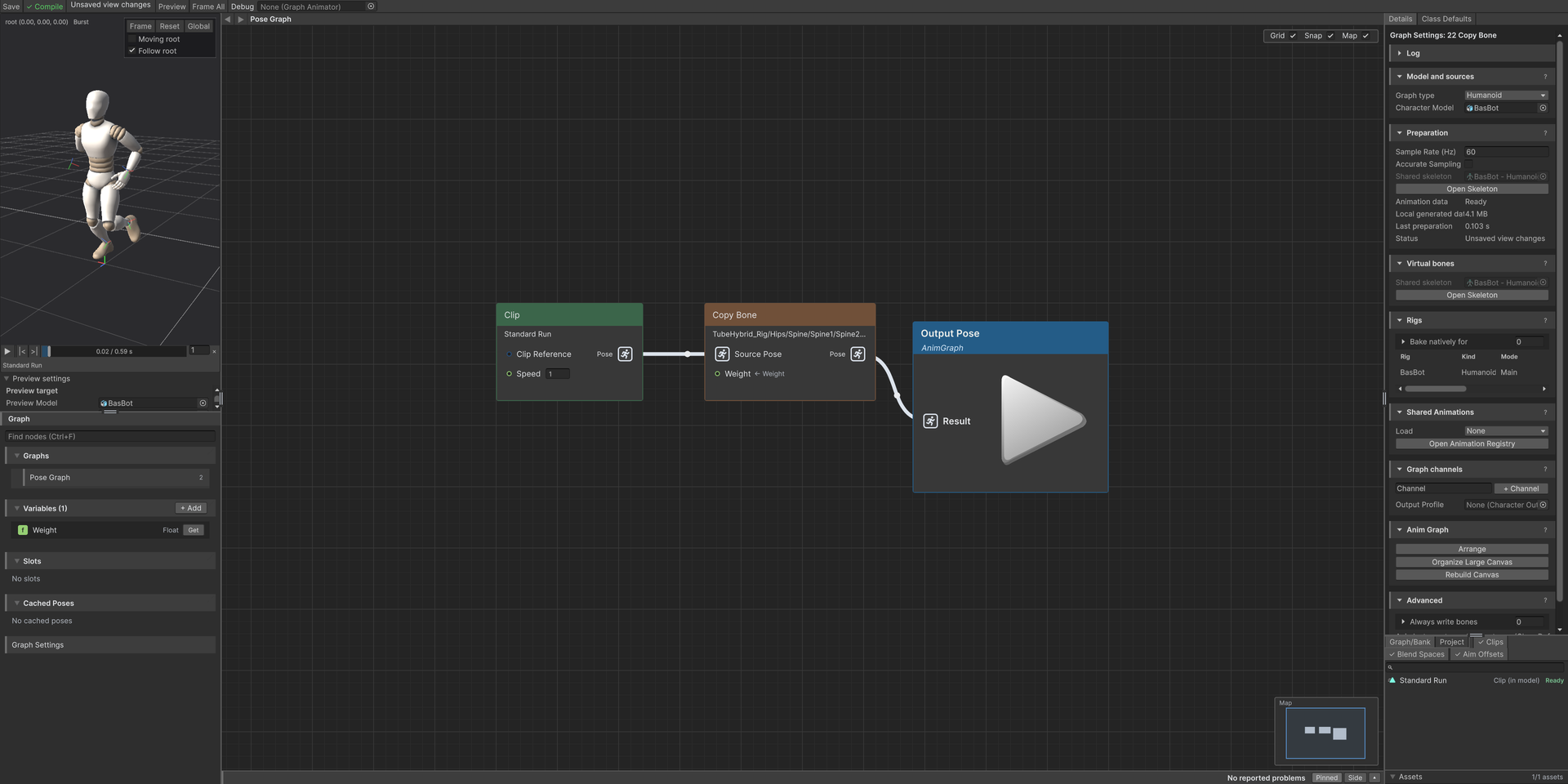
- Connect an ordinary pose to Source.
- Bind Source Bone and Destination Bone.
- Enable the channels to copy and adjust Weight.
Try it in Gallery
Open 22 Copy Bone in the Gallery Graphs folder. Compare the source and target bones, then change Weight.
Requirements and limits
- Exactly two different bones are required.
- A copied local rotation does not guarantee that the bones point in the same world direction.
- There is no World or Component copy mode on this BAS node.
Editor guides
Reference details
BAS 1.0 reference. Node type: CopyBoneNode. Main source: BuiltinSkeletalControls.cs. Defaults also use the node constructor and the shared Editor field definitions.