
 Documentation
Editor guide
Graph Settings
Set the character model, preparation, shared animations and graph-wide options.
Editor view
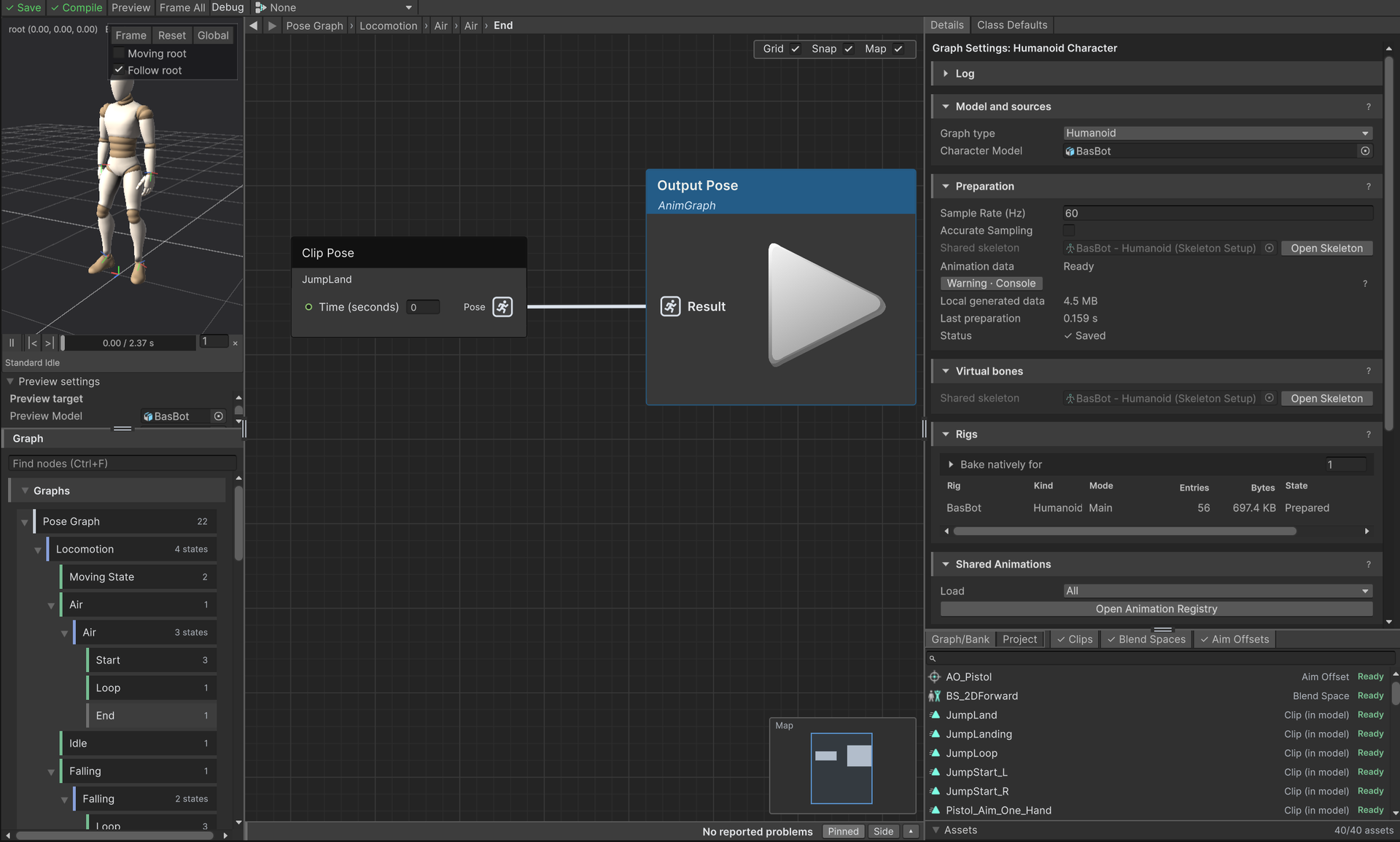
Open the tool
Select an Animation Graph in the Project window, or open Graph Settings in the Graph Editor.
Inspector
Graph Settings defines how the graph is prepared and what content it can play. It is separate from the settings of a selected node.
The Character Model defines the main preparation target. A Preview Model changes the visible preview target. Use the same model for both to inspect the main preparation target.
| Control or section | Function |
|---|---|
| Model and sources | Select the character model and graph type. Source mappings describe extracted animation sources where required. |
| Preparation | Set the sample rate, Accurate Sampling and shared Skeleton Setup. |
| Rigs | Add targets that need their own native preparation. Other compatible rigs can use Borrow. |
| Shared Animations | Select All, Categories or None for compatible shared animations. Use Animation Registry to inspect the source metadata. |
| Virtual bones | Edit shared helper definitions through Skeleton Setup. |
| Code / Outputs | Choose the AnimInstance type and character output profile. |
| Canvas commands | Arrange or rebuild the graph canvas from the provided commands. |
Basic procedure
- Assign the target rig as Character Model.
- Review preparation and shared animation settings.
- Edit the graph pose branch.
- Save, prepare and apply the graph.
Saved data
- The graph asset stores these authored choices.
- Prepared clip data belongs to the target Skeleton. Preview Scene chooses a visible target for inspection.
Requirements and limits
- Bake natively for prepares separate data for each listed rig. Other compatible Humanoid characters can use Borrow to share the result from the main rig.
- Changing only the preview target does not add a target to the Rigs list.
Reference details
These instructions describe BAS 1.0 in Unity 6000.3.7f1.
Related Editor types: AnimationGraphEditor.