
 Documentation
Node reference / Additive
Additive Identity
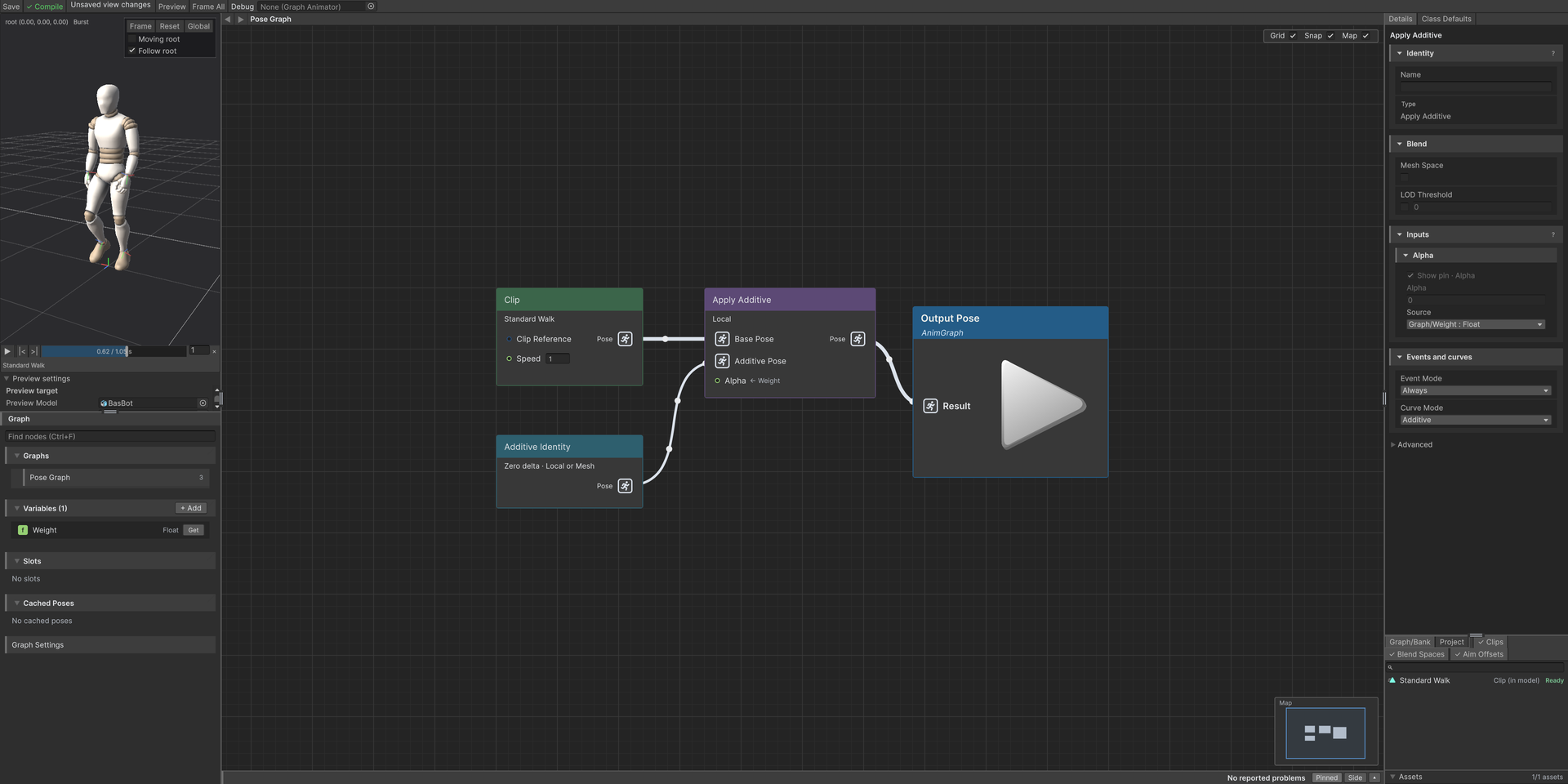
Output an additive delta that makes no change to a base pose.
How it works
The delta contains zero position offset, identity rotation and unit scale. It can be used with either Local or Mesh additive data.
It has no clock, curve channel, root motion or events. When applied to a base pose, the base curves remain unchanged.
Inputs and output
| Port | Type | Function |
|---|---|---|
| Additive Pose | Output | A delta that changes nothing. |
Settings
This node has no animation settings. Name changes its label only.
Common node controls
Name changes the canvas label. Type identifies the node and is read-only. Advanced shows structural pose connections and retained data.
Setup example
- Connect Additive Identity to one input of a blend of additive deltas.
- Connect the blended delta to Apply Additive.
Try it in Gallery
Open 11 Additive Identity in the Gallery Graphs folder. Follow the zero delta into Apply Additive to see how the base clip stays unchanged.
Requirements and limits
- Use it where an additive delta is expected. Use Reference Pose when an ordinary bind pose is required.
Reference details
BAS 1.0 reference. Node type: AdditiveIdentityNode. Main source: AnimNodes.cs. Defaults also use the node constructor and the shared Editor field definitions.