
 Documentation
Node reference / Blends
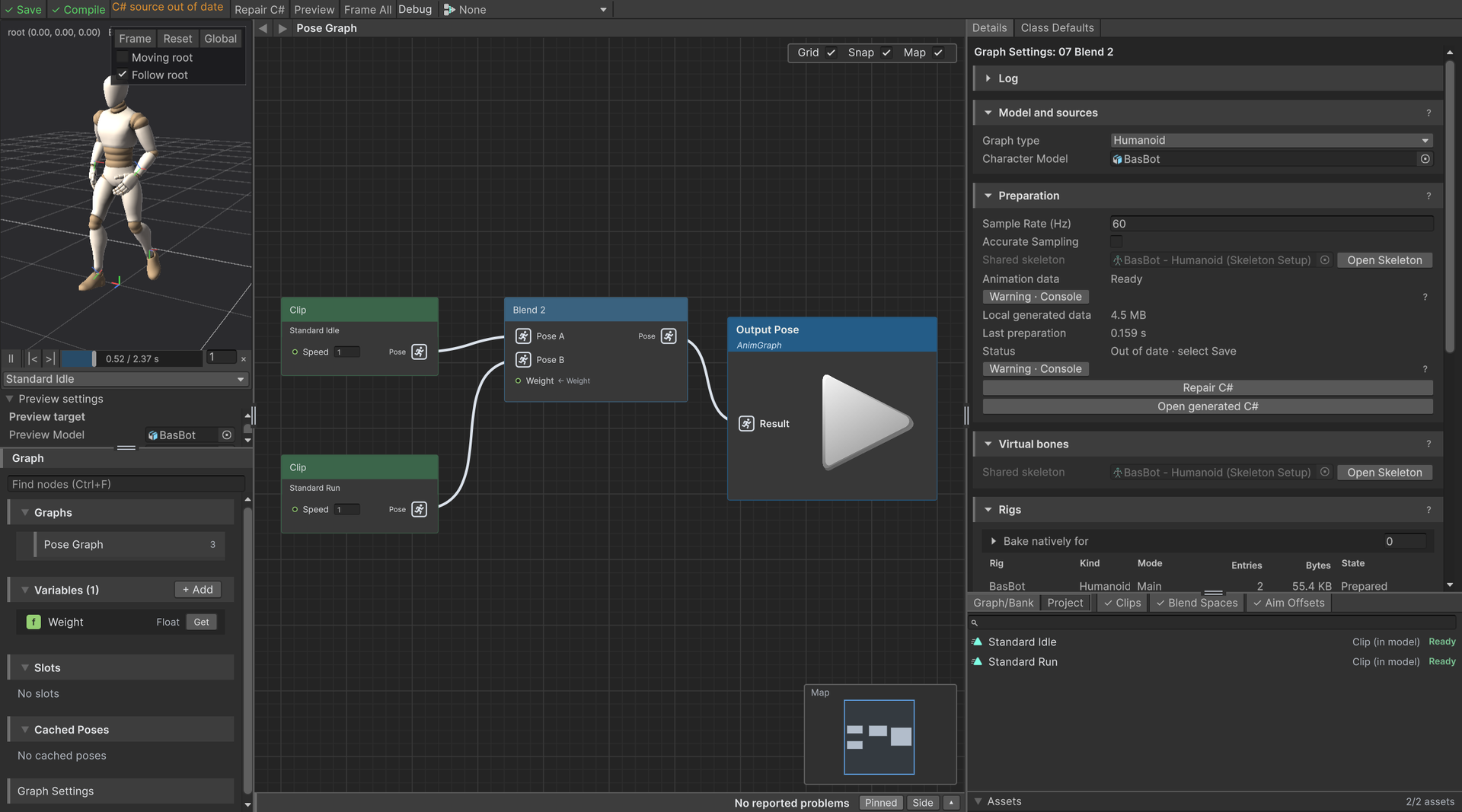
Blend 2
Blend Pose A and Pose B by the weight of B. A bone mask can restrict B to part of the rig.
How it works
Weight is clamped to 0 to 1. At 0, the result is A. At 1, the result is B for the bones included by the mask.
Without a mask, the node blends the full poses. With a mask, A remains the base for bones outside the mask.
Event Mode and Curve Mode control the animation data that accompanies the bone pose.
Inputs and output
| Port | Type | Function |
|---|---|---|
| Pose A | Pose | The first pose and the base for a masked blend. |
| Pose B | Pose | The pose blended over A. |
| Weight | Float | Contribution of B. The default is 0. |
| Pose | Output | The blended pose. |
Settings
| Setting | Default | Function |
|---|---|---|
| Weight | 0 | Set the B weight or connect an input. |
| Mask | Empty | An empty mask includes all bones. Set roots or imported mask data to restrict B. |
| Event Mode | Highest Weighted | Select which contributing input events reach the output. |
| Curve Mode | Interpolated | Select how input curve channels combine. |
| LOD Threshold | Disabled | For a masked blend, return A above the selected level. It has no effect without a mask. |
Common node controls
Name changes the canvas label. Type identifies the node and is read-only. Advanced shows structural pose connections and retained data.
Scalar input rows can use a stored constant or a compatible connected source. Use Show as Pin where available to show an optional input on the card. The selected source supplies the value.
Events and curves
| Setting | Function |
|---|---|
| Event Mode: Highest Weighted | Use events from the highest-weighted contributing input. |
| Event Mode: Always | Allow events from all contributing inputs. |
| Curve Mode: Interpolated | Blend curve values with the input blend weights. |
| Curve Mode: Additive | Add the contributing curve values according to the operation. |
| Curve Mode: Maximum | Use the largest contributing curve value. |
Bone mask
| Setting | Function |
|---|---|
| Empty mask | Include all bones. |
| Roots | Include each selected bone and its descendants. |
| Excluded Roots | Exclude each selected bone and its descendants after inclusion. |
| Transform paths | Use exact active or inactive transform entries. An empty path identifies the model root. |
| Humanoid body parts | Use Humanoid role flags, including the root motion flag. The target needs prepared Humanoid role data. |
Level of detail
| Setting | Function |
|---|---|
| Disabled | Apply no node threshold. |
| Enabled | Run the node when the character LOD level is at or below the selected level. Level 0 is a valid enabled threshold. |
| Above the threshold | Use the pass-through behavior stated for this node. LOD changes do not replace the node input requirements. |
Setup example
- Connect an idle pose to A and another pose to B.
- Set Weight to 0.5 to give both poses equal influence.
- Add a spine root to the mask when only the upper body must use B.
Try it in Gallery
Open 07 Blend 2 in the Gallery Graphs folder. Change Weight to blend Standard Idle and Standard Run.
Requirements and limits
- Both inputs must have the same pose representation. Do not blend an ordinary pose with an additive delta.
Reference details
BAS 1.0 reference. Node type: Blend2Node. Main source: AnimNodes.cs. Defaults also use the node constructor and the shared Editor field definitions.