
 Documentation
Node reference / Blends
Blend Tree 2D
Blend pose graph inputs at 2D positions with Unity Blend Tree weight rules.
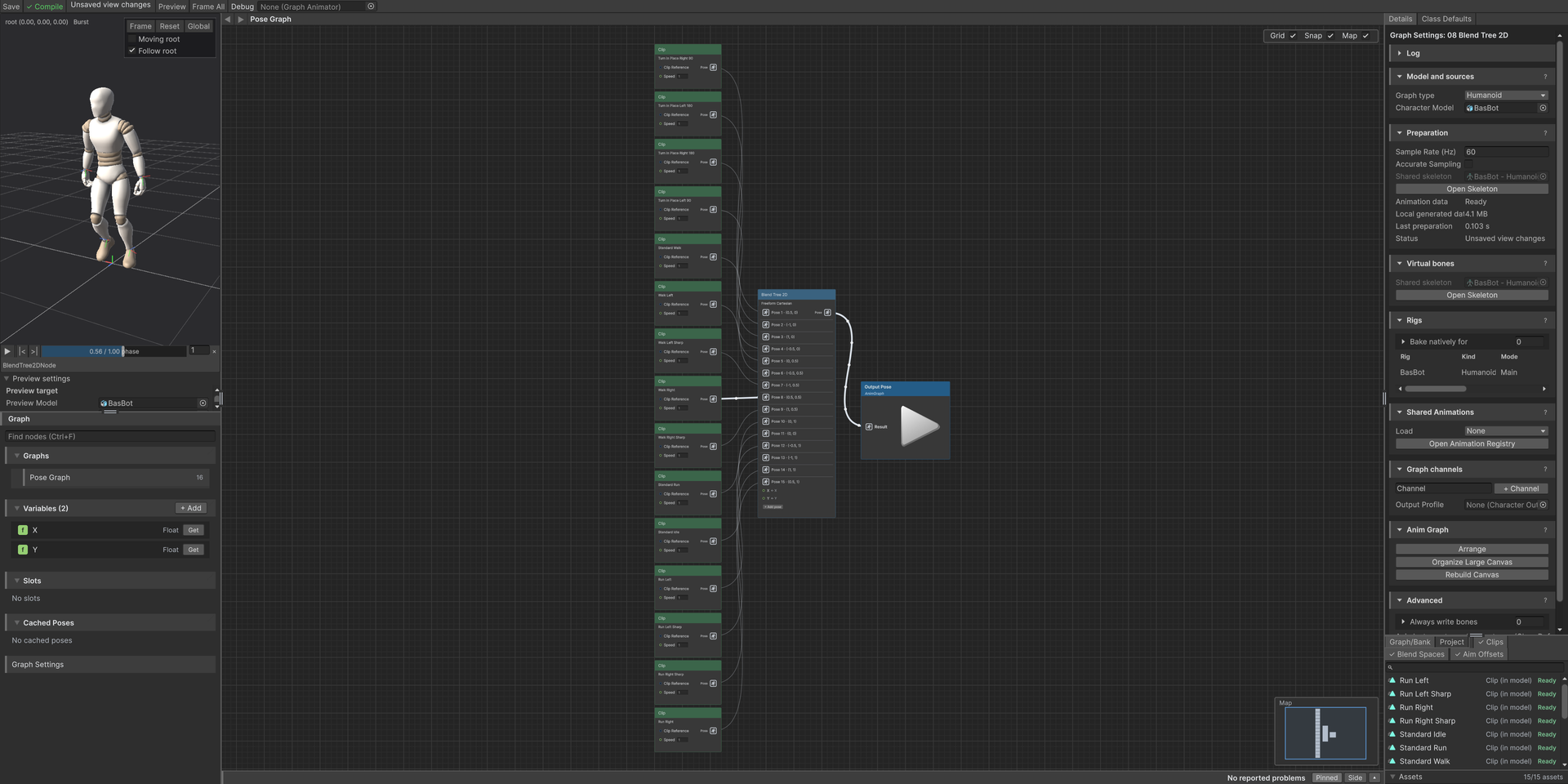
How it works
X and Y define the query position. Mode selects Freeform Cartesian, Freeform Directional or Simple Directional weights.
Freeform Cartesian works with positions on two axes. Directional modes use the direction and distance of the sample positions.
The inputs are pose nodes. This differs from Blend Space, which reads clip samples from an asset and uses triangle interpolation.
Inputs and output
| Port | Type | Function |
|---|---|---|
| Samples | Pose list | One pose for each sample position. |
| X / Y | Float | The 2D query position. |
| Pose | Output | The blended pose. |
Settings
| Setting | Default | Function |
|---|---|---|
| Mode | Freeform Cartesian | Choose the Unity 2D weight rule. |
| Synchronize Children | Off | Keep eligible Clip inputs at one normalized phase. |
| Samples / Position | Empty | Set one finite X and Y position per pose. |
| Child Time Scale | 1 when list is empty | Animator behavior only. Set one finite positive value per child if used. |
| X / Y | 0 / 0 | Set the query position or connect inputs. |
| Event Mode | Highest Weighted | Select input events. |
| Curve Mode | Interpolated | Select curve blending. |
Common node controls
Name changes the canvas label. Type identifies the node and is read-only. Advanced shows structural pose connections and retained data.
Scalar input rows can use a stored constant or a compatible connected source. Use Show as Pin where available to show an optional input on the card. The selected source supplies the value.
Events and curves
| Setting | Function |
|---|---|
| Event Mode: Highest Weighted | Use events from the highest-weighted contributing input. |
| Event Mode: Always | Allow events from all contributing inputs. |
| Curve Mode: Interpolated | Blend curve values with the input blend weights. |
| Curve Mode: Additive | Add the contributing curve values according to the operation. |
| Curve Mode: Maximum | Use the largest contributing curve value. |
Setup example
- Choose the weight rule that matches the sample layout.
- Add poses and set a position for each one.
- Connect the two query coordinates and inspect the result between the samples.
Try it in Gallery
Open 08 Blend Tree 2D in the Gallery Graphs folder. Trace X and Y to the blend node and compare the positions of its connected poses.
Requirements and limits
- A pose needs a matching finite position.
- Synchronized inputs must be unshared Clip nodes with constant Speed 1 and Start Time 0.
Reference details
BAS 1.0 reference. Node type: BlendTree2DNode. Main source: AnimNodes.cs. Defaults also use the node constructor and the shared Editor field definitions.