
 Documentation
Node reference / State and selection
Select Blend
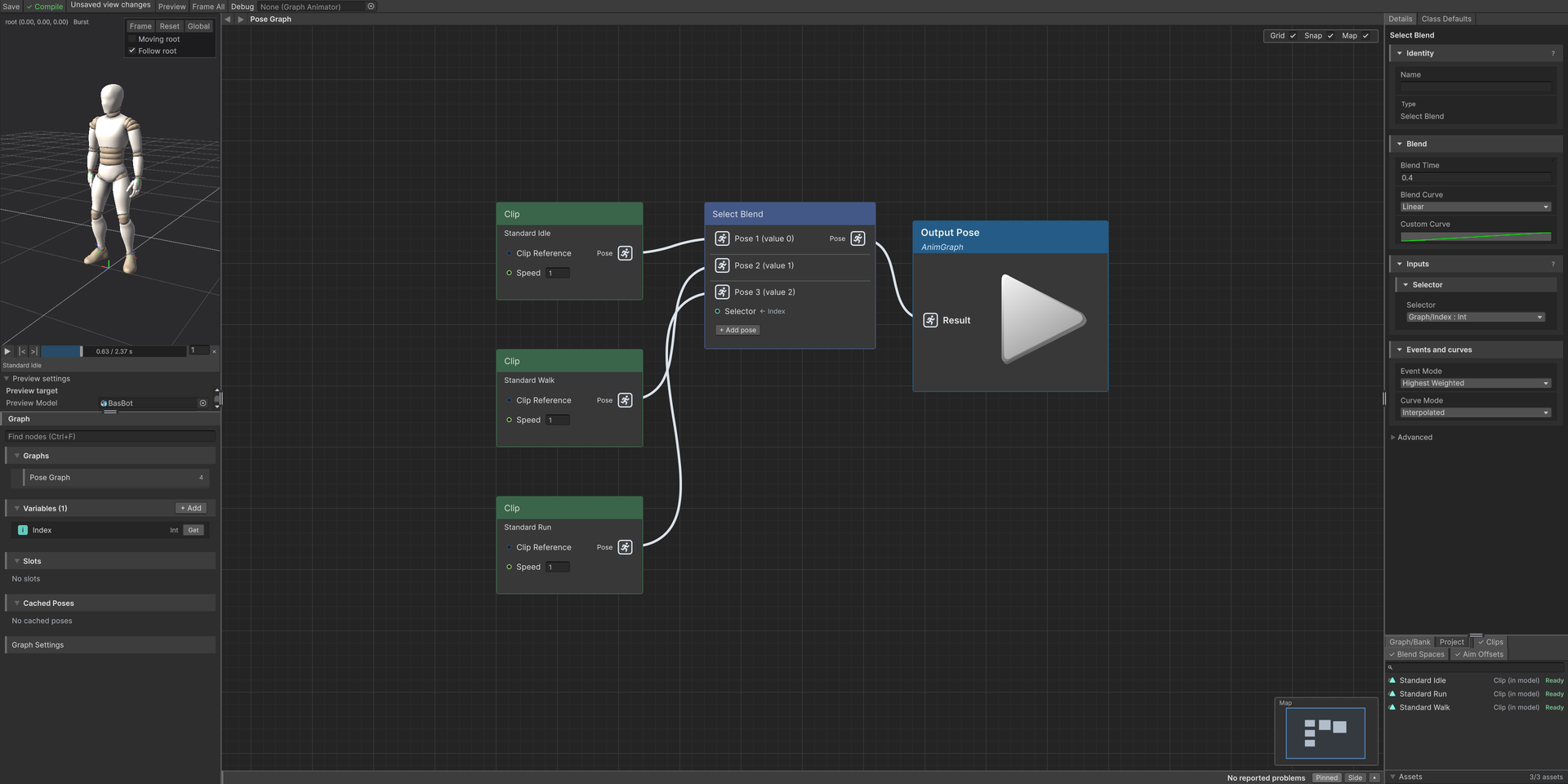
Select a pose by an integer, enum or Boolean input and crossfade when the selection changes.
How it works
The selector value is the choice index. Index 0 selects the first choice. A Boolean uses false for index 0 and true for index 1.
When the selected choice changes, Blend Time and Blend Curve control the crossfade to the new pose.
The selector can come from a compatible connected value or a variable binding.
Inputs and output
| Port | Type | Function |
|---|---|---|
| Choices | Pose list | Poses in selector index order. |
| Selector | Int, enum or Bool | The active choice index. |
| Pose | Output | The selected pose or current crossfade result. |
Settings
| Setting | Default | Function |
|---|---|---|
| Choices | Empty | Add at least one pose. Use two choices for a Boolean. |
| Selector | Unassigned | Choose the source of the selection. |
| Blend Time | 0.2 seconds | Duration of a change to another choice. |
| Blend Curve | Linear | Choose Linear, SmoothStep, EaseIn, EaseOut or Custom. |
| Custom Curve | Linear 0 to 1 | For Custom, define target weight over normalized blend time. |
| Event Mode | Highest Weighted | Select contributing events. |
| Curve Mode | Interpolated | Select curve blending. |
Common node controls
Name changes the canvas label. Type identifies the node and is read-only. Advanced shows structural pose connections and retained data.
Scalar input rows can use a stored constant or a compatible connected source. Use Show as Pin where available to show an optional input on the card. The selected source supplies the value.
Events and curves
| Setting | Function |
|---|---|
| Event Mode: Highest Weighted | Use events from the highest-weighted contributing input. |
| Event Mode: Always | Allow events from all contributing inputs. |
| Curve Mode: Interpolated | Blend curve values with the input blend weights. |
| Curve Mode: Additive | Add the contributing curve values according to the operation. |
| Curve Mode: Maximum | Use the largest contributing curve value. |
Setup example
- Connect the standing pose to choice 0 and the crouched pose to choice 1.
- Use a Boolean selector.
- Set Blend Time to control the change between the poses.
Try it in Gallery
Open 18 Select Blend in the Gallery Graphs folder. Change Index to select one of the connected poses.
Requirements and limits
- Custom curves need at least two keys, a value of 0 at the start and 1 at the end. Intermediate values must stay within 0 to 1.
- The choices must use compatible pose representations.
Reference details
BAS 1.0 reference. Node type: SelectBlendNode. Main source: AnimNodes.cs. Defaults also use the node constructor and the shared Editor field definitions.